


Picture a distribution company whose order management system dates from fifteen years ago. It still calculates customer pricing, allocates stock and triggers invoices every day. The developer who understood most of it left years ago. The database server runs an operating system that the vendor no longer supports. Every new request, such as a customer portal or a connection to an analytics tool, takes weeks of cautious work. Nobody can say what else might break.
Replacing a system like this is rarely straightforward. Its code holds years of business rules, special pricing arrangements, exception handling and integrations that nobody has fully documented. Switching it off and starting again means rediscovering all of that under pressure.
AI-powered legacy system modernisation offers a more informed way to approach the problem. Large language models and AI-assisted coding tools can help teams read unfamiliar code, document its behaviour, generate tests, map dependencies and draft converted code, often more quickly than manual effort alone. They also make it more practical to connect an older platform to newer tools through AI integration, one component at a time. They do not remove the need for experienced engineers, architectural judgement, security review and business sign-off.
This guide covers what AI can and cannot do in a modernisation project. It compares the main approaches, sets out a staged plan, explains what to budget for and shows how to judge whether the investment worked.
What Is AI-Powered Legacy System Modernisation?
1. What Makes a System “Legacy”
A legacy system is not simply an old one. In practical terms, it is software that still matters to the business but has become hard to change, support or connect to anything else. Age often plays a part. Typical features include an obsolete language or framework, missing documentation, unsupported infrastructure and a shrinking pool of people who understand the code. Many legacy systems also have a tightly coupled design, where a change to one part affects many others.
2. What Legacy Application Modernisation Involves
Legacy application modernisation updates such software so that it can keep serving the business at acceptable cost, risk and flexibility. That might mean moving it to new infrastructure, restructuring its code, rebuilding parts of it or replacing it in stages.
3. How AI Changes the Process
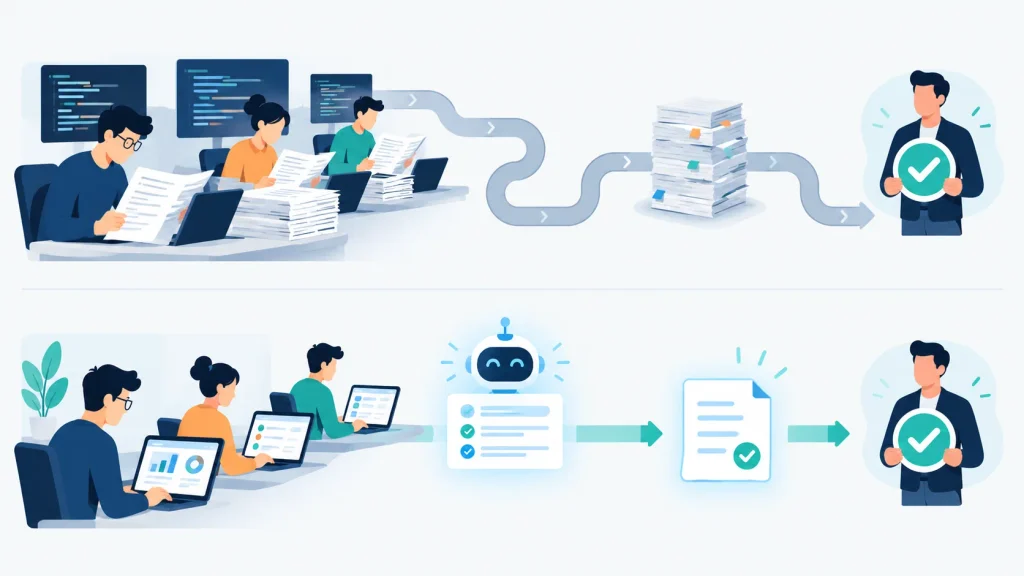
AI-powered modernisation uses AI techniques within that process. Typical uses include summarising what an unfamiliar module does, tracing which components depend on one another, proposing test cases, translating code between languages and profiling data before migration. Conventional modernisation covers the same ground, but engineers read, interpret and rewrite the system almost entirely by hand.
A hypothetical example shows the difference. A firm has a 200,000-line reporting application in an older language. Under a traditional approach, two or three engineers might spend weeks reading the code to build a rough inventory of reports, data sources and calculation rules. With AI assistance, the same engineers can have a draft inventory and plain-language explanations of key functions within days. They then spend their time checking those drafts against actual outputs. The work shifts from reading everything to reviewing and validating. That is a better use of scarce expertise, provided the team does the review properly.
Why UK Businesses Need Legacy System Modernisation
1. Rising Costs and Lost Opportunities
The most visible problem is usually cost. Support contracts for ageing platforms tend to become more expensive, specialist contractors command higher rates, and a growing share of the IT budget goes on keeping things running. Less visible is the opportunity cost. A retailer that cannot connect its stock system to a new online channel loses sales it never records.
2. Integration Problems
Integration is a frequent pain point. Developers often built older systems before modern interfaces such as REST APIs became standard. Connecting them to cloud services or analytics platforms then relies on fragile file transfers or custom scripts. Each workaround adds another thing to maintain.
3. Security and Compliance Pressure
Unsupported software no longer receives patches. The National Cyber Security Centre’s guidance on obsolete products says that organisations should ideally retire out-of-date technology, because workarounds can reduce the risk but not remove it. For organisations that handle personal data, UK GDPR requires appropriate technical and organisational measures. A system that nobody can patch or audit properly makes that harder to demonstrate. In regulated sectors such as financial services, operational resilience expectations from regulators like the FCA and PRA add further weight.
4. Key-Person Risk
Sometimes the logic behind a pricing engine or settlement process lives in the heads of two long-serving employees and in code that nobody else can read. The business then faces exposure to retirement, resignation or illness. Modernisation partly moves that knowledge into documentation, tests and well-structured code.
5. What Industry Research Shows
Managed services provider Ensono surveyed 500 senior IT and business decision-makers in the UK and US, and IT Brief UK reported the results. The survey found that 57% of UK organisations extend legacy systems rather than replace them. Ensono sells modernisation services, so readers should treat the figures as indicative. They do match a pattern that many IT teams recognise. Older systems stay in service, and the real work is to make them easier to connect, maintain and trust.
How AI Supports Legacy Application Modernisation
AI-Assisted Code Analysis and Dependency Mapping
The first practical contribution of AI is helping teams understand what they have. Tools can scan a codebase, identify modules and call relationships, flag duplicated or dead code and highlight areas of unusual complexity. Dependency mapping is particularly valuable. Knowing that four other systems call a seemingly isolated billing routine changes how a team should sequence a migration.
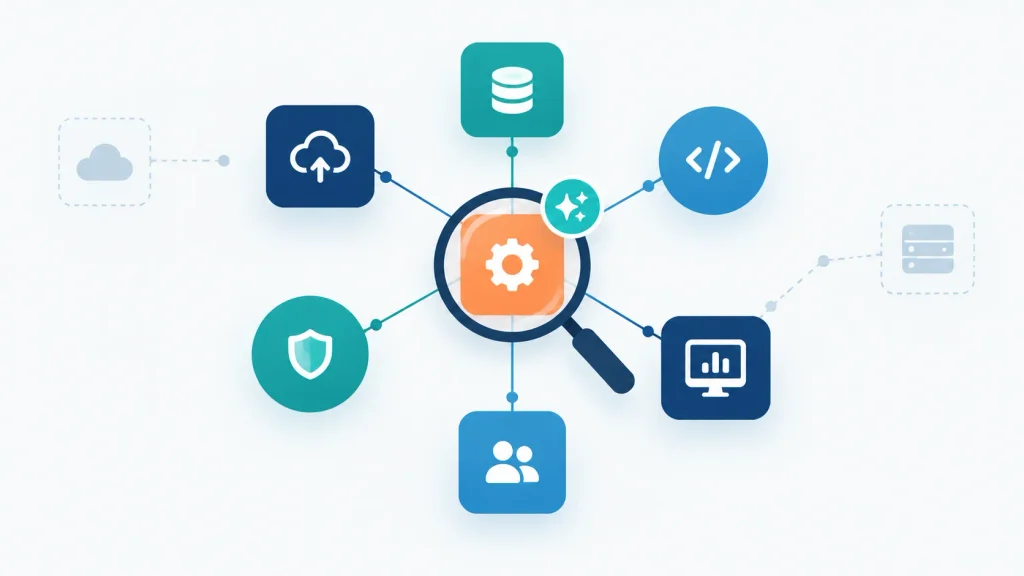
These outputs are starting points, not verdicts. Code analysis can miss dynamic behaviour, such as configuration that the system reads at runtime, database triggers, scheduled jobs and scripts outside the main repository. Experienced engineers need to identify which areas they cannot trust the tooling on and investigate those areas directly.
Automated Code Documentation
Large language models can read a function and describe in plain English what it appears to do, including edge cases. For a system with little or no documentation, that gives analysts something to work from. A business analyst can read a description of a discount calculation and recognise immediately whether it matches how the company prices orders.
The word “appears” matters here. The description reflects what the model infers from the code. That may differ from what the system does in production, especially where developers have patched the code over many years. Teams should check every important description against real behaviour, ideally by running known inputs and comparing outputs.
Code Refactoring and Transformation
AI coding tools can propose refactored versions of tangled functions, translate code between languages and suggest how to separate monolithic logic into services. This can accelerate the repetitive parts of a migration considerably.
The limitations are real, however. A translated function may compile and look correct while it handles rounding, date formats, null values or character encodings differently from the original. Hidden dependencies, such as a routine that reads a global variable from another module, may not survive translation. Treat converted code like code from a new contractor: useful, but reviewed and tested before anyone relies on it.
AI-Assisted Software Testing
Legacy systems often have little automated test coverage, which makes any change risky. AI can help by generating candidate unit tests from existing code and suggesting scenarios based on observed behaviour. The more valuable use is a regression suite that captures what the system does today, so that the team can compare the modernised version against it.
The aim is to preserve existing business behaviour, including behaviour that looks odd but is intentional. People who understand the business rules should review the test cases, because a model can generate many tests without knowing which outcomes matter. Independent quality assurance and software testing, including integration and data migration testing, adds a second line of defence before anything reaches production.
Data Migration and Quality Assessment
Data is often harder to move than code. AI-assisted profiling can examine tables to find inconsistent formats, duplicate records, orphaned references and fields that serve purposes the original designers never intended. Schema mapping suggestions can speed up the work of aligning old structures with new ones, and anomaly detection can flag records that fail validation rules. Where the data needs auditing and preparing first, AI data readiness services cover that groundwork.
Historical data brings its own difficulties. Staff entered some values under older conventions, free-text fields contain structured information, and the law requires businesses to retain some records. Data owners, not tools, should decide what to cleanse, archive or retire. Where the data includes personal information, UK GDPR principles such as accuracy, data minimisation and storage limitation apply to those decisions.
API Development and System Integration
One of the lowest-risk ways to extend a legacy system is to wrap it with a modern interface. An API layer lets newer applications request data or trigger processes without touching the core code. AI assistance can help draft interface specifications, generate boilerplate code, write integration tests and diagnose errors in message formats.
Tools cannot automate every integration. Older systems may lack clean entry points, process data in batches or enforce business rules that only apply in a certain sequence. Engineers still need to design the interface, handle failures and decide how authentication, logging and rate limits should work.
AI-Powered vs Traditional Legacy Software Modernisation
| Area | AI-powered approach | Traditional approach |
|---|---|---|
| Code assessment | Rapid first-pass analysis of large codebases, with engineers verifying findings | Manual code reading and workshops, slower but often more reliable on unusual code |
| Documentation | Tools draft descriptions quickly, and people validate them | Analysts and developers write it, which is thorough but time-consuming |
| Testing | Tools generate candidate tests, and domain experts review them | Engineers design test cases by hand, usually fewer but more deliberately chosen |
| Migration planning | Dependency maps and effort indicators arrive early | Plans come from interviews and manual investigation |
| Engineering effort | Lower on repetitive tasks, with more time spent on review | Higher on investigation and translation work |
| Delivery speed | Potentially faster in early phases, depending on code quality | More predictable but often slower |
| Human oversight | Essential at every stage | Essential, with fewer outputs to check |
| Technical risk | Plausible but wrong outputs may go unnoticed without disciplined review | Slower, but errors tend to show up more visibly |
AI assistance is not universally better. For compact systems, highly unusual languages with little public training material, or code that depends closely on specialised hardware, conventional engineering may be quicker and safer. In most real projects the sensible answer is a combination. Use AI for the repetitive, high-volume tasks, and rely on experienced engineers for design decisions, validation and anything that touches critical logic.
Legacy System Modernisation Approaches Businesses Should Consider
Modernisation does not always mean replacing the whole application, and it does not mean putting AI into every component. The right route depends on business requirements, technical constraints, risk tolerance and long-term objectives.
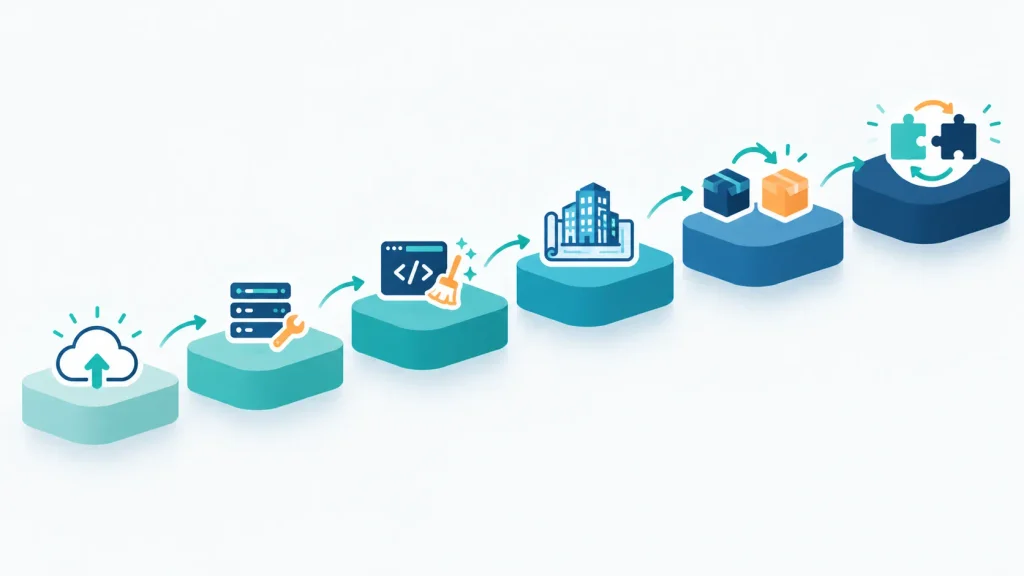
1. Rehosting
Rehosting moves an application to new infrastructure, such as a cloud environment, with minimal code change. It suits systems that work well but run on ageing hardware. It resolves infrastructure risk without addressing code quality or integration difficulties. AI can help by assessing compatibility and documenting configuration before the move.
2. Replatforming
Replatforming makes limited changes so that the application can take advantage of a newer platform, for example a managed database service. It suits cases where the code is sound but the surrounding platform holds the system back. AI can help identify the code changes needed and generate tests that confirm the behaviour stays the same.
3. Refactoring
Refactoring restructures existing code without altering what it does, which reduces complexity and technical debt. It works best when the application’s behaviour is correct and valued, but the code is difficult to extend. AI-assisted code analysis and transformation are most directly useful here, always backed by a regression test suite. The same logic applies to mobile software. This guide to upgrading and modernising an existing mobile app shows how the upgrade, modernise or migrate decision works for a React Native application.
4. Rearchitecting
Rearchitecting changes the fundamental design, for example by breaking a monolith into separate services. It is a larger undertaking. It makes sense when the current structure limits scalability, resilience or release speed. AI can help map boundaries between components, but experienced architects must make the architectural decisions.
5. Replacing the Existing System
Sometimes replacing the application with a commercial package or a new build is the right answer. This applies particularly where the legacy system supports a process the business no longer wants, or where a mature product already does the job. AI can support requirements gathering by documenting what the old system does, which reduces the risk of omitting something important.
6. Incremental Modernisation
Incremental modernisation replaces or updates functionality piece by piece. Teams often place new components alongside the old system and gradually redirect traffic. For critical systems it is frequently the safest route, because each step is short enough to test and reverse. It also fits AI assistance well, since the team can analyse, convert and validate each component separately.
A Step-by-Step Guide to AI-Powered Legacy System Modernisation
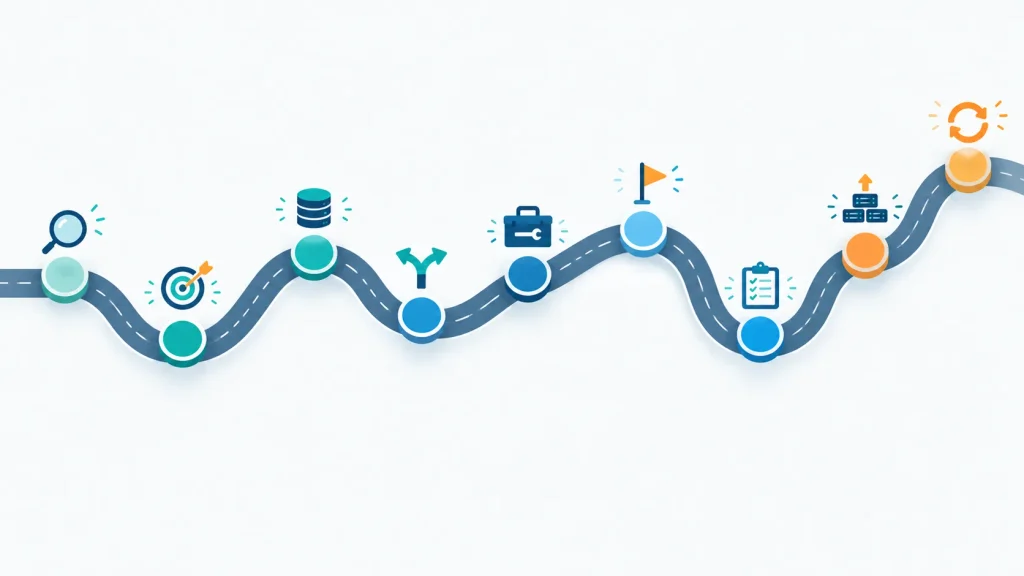
Step 1: Assess the Existing System
Begin by taking stock. Establish which applications exist, which business processes depend on them, who owns them, what they cost to run and support, and what security exposure they carry. Not every legacy system deserves modernisation, so rank them by business criticality and risk.
Step 2: Define Business Objectives
State what success looks like in measurable terms. Examples include reducing monthly maintenance effort, connecting to a new sales channel, improving availability or cutting release cycles from quarterly to monthly. Vague goals such as “become more modern” make it impossible to choose an approach or judge results.
Step 3: Audit Data and Application Dependencies
Identify the data you hold, its quality, who owns it and where it flows. Catalogue external interfaces, batch jobs, spreadsheets that feed or consume the system, and processes that exist only as habits. Teams that find dependencies late often overrun their projects.
Step 4: Choose the Right Modernisation Approach
Match the approach to the objectives and risk profile. A system that is stable but sits on end-of-life infrastructure may only need rehosting. One that blocks product development may need rearchitecting. Where the business cannot tolerate disruption, favour incremental change. Different applications in the same portfolio often need different approaches.
Step 5: Select Appropriate AI Tools
Evaluate tools against your own requirements. Ask how they handle source code and data, where processing takes place, whether they support your languages and frameworks, how they fit your development workflow and what review controls they offer. Source code and data may be commercially sensitive or contain personal information, so data handling terms and access controls matter as much as capability. Check each product’s actual capabilities and suitability before committing, rather than relying on marketing claims.
Step 6: Start with a Controlled Pilot
Choose a component that is representative but not business-critical, such as a single report or a self-contained module. Record baseline measures before you start: effort, defect rates, performance and cost. A pilot shows how well the tools and team work together on your codebase. It also gives a more realistic basis for estimating the wider project.
Step 7: Test and Validate Changes
Run functional and regression tests. Compare outputs between old and new systems using identical inputs. Test performance under realistic load, review security and validate the migrated data. Then obtain business acceptance from the people who use the system. User acceptance is not a formality, because users often know when a result is subtly wrong.
Step 8: Deploy in Stages
Release gradually, starting with a limited user group or a single process. Prepare rollback plans before each stage, monitor closely after release and train staff in advance. For critical operations, consider running old and new systems in parallel for a period.
Step 9: Monitor and Improve
After go-live, review outcomes against the original objectives, keep documentation current and tackle technical debt before it builds up again. Modernisation is not a single event. A system without maintenance will become legacy once more.
Practical Business Use Cases
The following are illustrative scenarios, not verified case studies or IIH Global client projects. They show how the principles above might apply in different sectors.
A. Financial Services Reporting
A firm relies on an older application to produce regulatory and management reports, and nobody has documented the calculation logic. AI could help extract and describe the calculations and generate test cases from historic report outputs. An incremental or refactoring approach would suit, rebuilding reports one at a time. The main risks are subtle calculation differences and regulatory scrutiny, so parallel running and independent reconciliation are essential. The likely outcome is reports that are easier to change and audit.
B. Manufacturing Analytics
A manufacturer’s production software records machine data in a proprietary format that newer analytics tools cannot read. AI could help analyse the data format and draft transformation code. An integration layer, rather than a rebuild, may be enough. The risks include disrupting production and misinterpreting sensor data. The outcome would be usable operational data without replacing stable shop-floor software.
C. Retail Inventory and Ecommerce
A retailer’s established inventory platform cannot give its online shop real-time stock levels. AI could help draft an API wrapper and test it against known stock scenarios. Replatforming or API-led integration is probably appropriate. Delayed synchronisation could cause overselling. The benefit would be more accurate availability information across channels.
D. Logistics Data Exchange
A logistics company exchanges data with partners through file transfers that older operational systems produce. AI could help map legacy file formats to modern interface specifications and troubleshoot message errors. A staged move to API-based exchange would limit disruption. The main risk is partner compatibility. The expected outcome is faster, more reliable data exchange.
E. Professional Services Internal Application
A firm’s internal billing and time-recording tool contains business rules that exist only in code. Finance and operations staff could review AI-generated documentation to recover those rules before a rebuild or replacement. The principal risk is losing a rule that nobody realised was there. The outcome would be a documented, maintainable replacement.
Benefits of AI-Powered Legacy System Modernisation
When well managed, AI assistance can shorten the initial analysis phase, produce first-draft documentation that would otherwise not exist and give a clearer view of dependencies. It can reduce manual effort on repetitive tasks such as test preparation and code translation. It also supports better-informed decisions about which systems to modernise and how. A modernised, documented and tested system is easier to maintain and extend.
These benefits are conditional. Outcomes depend on the quality of the existing code, the complexity of the system, the tools you choose, the skill of the engineers and the discipline of the process. Treat no timeline or saving as guaranteed. Ask any supplier that offers specific figures without examining your systems to show their working.
Risks and Challenges Businesses Must Address
Accuracy and Documentation Risks
AI-generated code can contain errors that look entirely plausible, and a model may misread business logic that depends on context it cannot see. Automatically produced documentation can be incomplete or misleading. Tools may also miss dependencies that sit outside the code, such as database triggers or scheduled jobs.
Confidentiality and Data Protection
Source code may include proprietary logic, credentials or personal data. Before using any AI tool, businesses should understand where the tool processes code, whether the provider retains it or uses it for model training, and what contractual protections apply. Where the code or data includes personal information, UK GDPR obligations may apply and a data protection impact assessment (DPIA) may be necessary.
The Information Commissioner’s Office publishes guidance on DPIAs. The ICO has said that it is reviewing this guidance following the Data (Use and Access) Act 2025, so check the current version. Obligations differ depending on the sector, the data and the use case, and this article is not legal advice.
Delivery and Change Risks
Other risks are practical. Inadequate testing lets defects into production. Dependence on a single AI vendor or platform can create lock-in. Integration failures, scope changes and budget overruns are common in any modernisation programme. Staff may need training, and change management should start early.
How to Reduce the Risks
Businesses can reduce most of these risks with role-based access to code and tools, an approved list of AI tools, independent code and security review, thorough regression testing, delivery in short stages and clear accountability for approving each change.
How Much Does AI-Powered Legacy System Modernisation Cost?
There is no universal price. A compact internal tool and a core transaction platform differ by orders of magnitude in effort, and the right approach changes the cost profile entirely. The same Ensono survey reported that 77% of UK organisations had exceeded a modernisation budget. That is a useful reminder to plan for contingency and to test assumptions in a pilot before committing to a full figure.
What Drives the Cost
The main cost factors are:
- Application size and complexity.
- Programming languages and frameworks involved.
- Quality of existing documentation.
- Number and nature of integrations.
- Data migration requirements.
- Security and regulatory requirements.
- AI tooling and supporting infrastructure.
- Testing requirements.
- Engineering expertise needed.
- Constraints on downtime.
- Post-migration support.
Initial Cost Versus Long-Term Cost
Initial modernisation cost and long-term ownership cost are different things. A cheaper migration that produces poorly structured code may cost more to run over five years than a more thorough one. Include licensing, hosting, support and the cost of future change in the comparison.
Questions to Ask Before You Accept an Estimate
When you request an estimate, ask suppliers to clarify:
- The assumptions the estimate makes about code quality and documentation.
- What the initial assessment includes and what it excludes.
- How the team will use AI tools and review their output.
- The team’s approach to data protection and security.
- How testing and acceptance will work.
- What the plan is for data migration and rollback.
- Which costs stay fixed and which depend on findings during the initial assessment.
- What support and knowledge transfer follow go-live.
How to Measure the Success of a Modernisation Project
Judge success against the objectives you set at the start. That requires baseline measurements before work begins. Without them, improvements are only impressions.
Useful measures include:
- Maintenance effort and support cost.
- Application availability and incident frequency.
- Defect rates and test coverage.
- Deployment frequency and release lead time.
- Reliability of integrations.
- Performance against business requirements.
- Security and compliance findings.
- User satisfaction.
- Total cost of ownership.
Not all of these matter for every system. For a reporting tool, accuracy and time to produce reports matter most. For a customer-facing platform, availability and release speed matter more. Choose a handful of indicators that reflect what the business set out to achieve.
When Should a Business Consider Professional AI Modernisation Services?
Internal teams can often handle limited work, such as documenting a compact application, building an API wrapper or migrating a low-risk module. This works best where they already know the system well.
External expertise becomes more valuable as complexity and risk increase. Typical triggers include critical applications, outdated technologies with few available specialists, sensitive data, many integrations, limited internal capacity or significant operational risk if something fails. Modernisation draws on several disciplines at once: software architecture, application development, data engineering, testing, cybersecurity and migration experience, alongside responsible use of AI tools. Few internal teams have all of these available at the right moment.
When you evaluate providers, ask how they use AI, how they validate its output, how they protect your code and data, and what they have actually delivered in comparable situations. A sensible first conversation often starts with AI consulting, which can assess whether your data, existing systems and teams are ready before anyone scopes the build work.
Next Steps for Modernising Legacy Systems with AI
The central decision for most organisations is how to improve the systems they depend on without disrupting the operations that rely on them. AI makes the early stages of that work faster and better informed, particularly analysis, documentation, testing and selected code transformation. It does not replace sound architecture, careful data protection, engineering judgement or thorough validation.
A sensible first step is to list the applications your business relies on, rank them by criticality and risk, and choose one suitable candidate for a controlled pilot with clear, measurable objectives. What that pilot reveals will inform every larger decision that follows. If you would like an outside view on where to begin, contact the IIH Global team to talk through your systems and objectives.